Appearance
Inspect Workstation Status
Inspect the declared layout, equipment, consumables and resource ownership to understand whether an experiment can proceed or why it is waiting.
Read the current state
With your AI agent
Inspect the workstation's devices, layout, consumables and resource ownership. Explain whether an existing run is blocking a new experiment. Do not change the configuration.
To locate an object, ask:
Locate this container on the desktop workstation diagram and explain its position.
The agent requests a highlight of a declared object; it does not move the container.
In the interface
- Open Workstation to inspect the layout and positions.
- Select an occupied position to inspect its objects. Editing is available when supported by the driver.
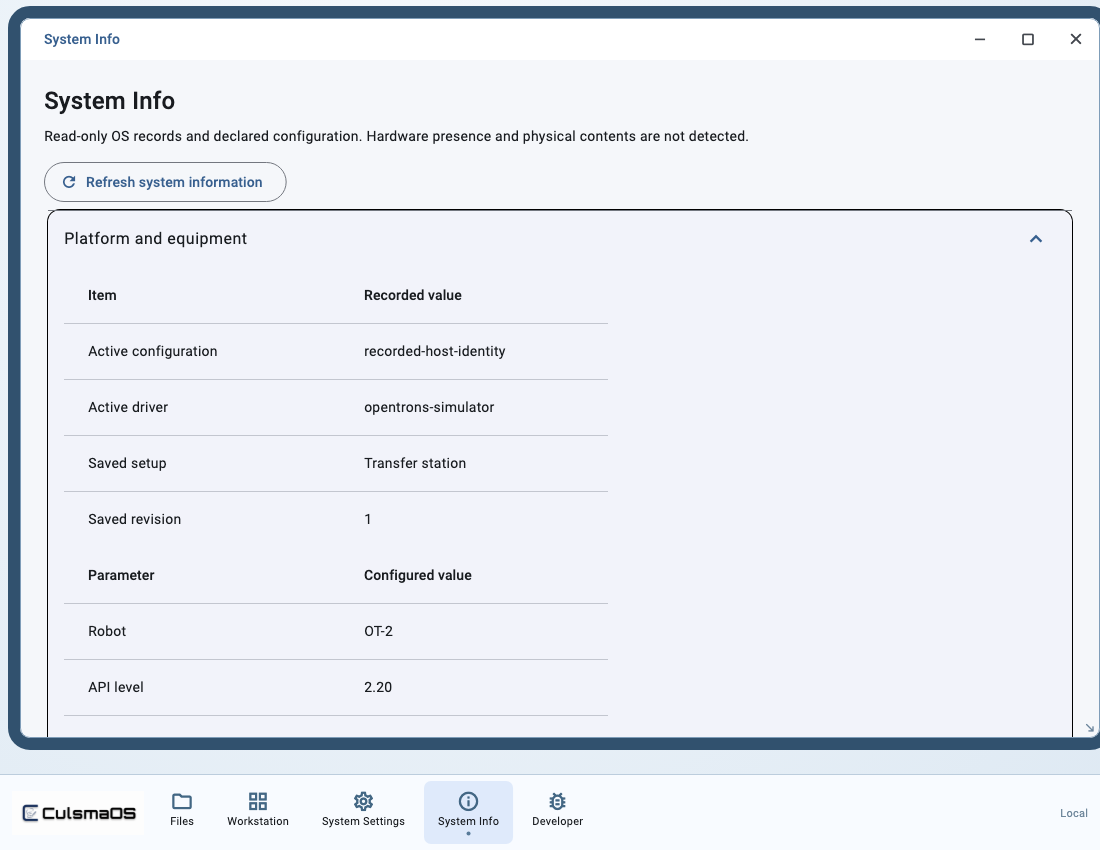
- Open System Info for equipment declarations, consumables, locks, reservations and service status.
Interpret the records
The workstation diagram and refreshed status come from OS records. Without sensor evidence, they cannot establish actual liquid levels or physical placement. When resources remain owned by a run, inspect that run first.
Next: Change Labware and Carriers.