Appearance
Start and Monitor an Experiment
Start a checked experiment, retain its run identifier and follow that same run to a final outcome.
Before you start
Confirm the source, workstation, execution mode and preparation requirements. The tutorials use simulation. The 0.2.0 desktop hardware-run action is disabled. Review simulation mode and evidence before starting.
With your AI agent
Start one experiment on the current simulated workstation using the program version you just checked. Report its run identifier and status, then follow its progress without submitting it again.
The agent starts the reviewed snapshot and follows the returned run. To submit first and adjust loading separately, explicitly ask it to submit and show the loading plan instead of automatically starting.
Open this experiment in the desktop and tell me whether it is waiting for preparation, queued, running or finished.
In the interface
- Open the experiment's check and preparation page.
- Review requirements and choose Run simulation. Run on hardware is disabled in 0.2.0.
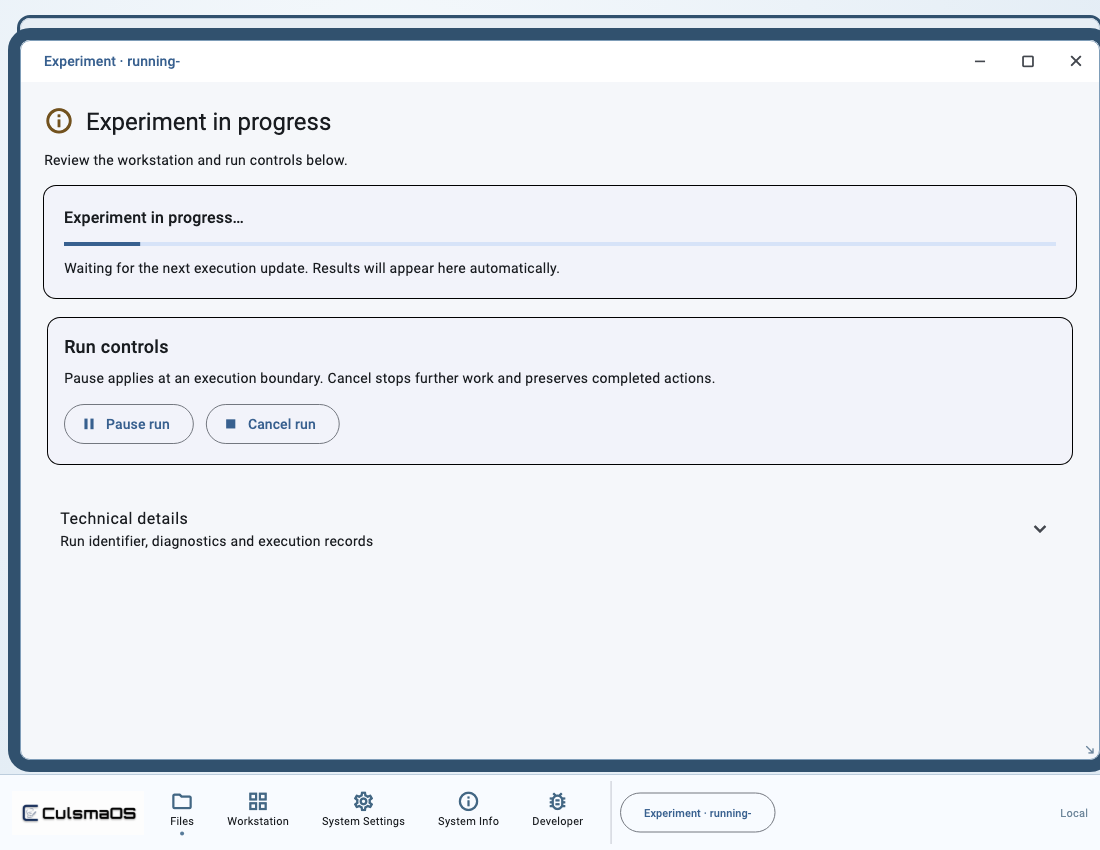
- Follow progress and the final outcome at the top of the experiment window.
- Open Technical details for the run identifier, diagnostics and recorded status. Keep these when needed for follow-up.
Understand progress
| State or observation | What to do |
|---|---|
| Waiting for preparation | Complete the remaining loading-plan steps. |
| Queued or waiting for resources | Inspect the preceding run and resource ownership; avoid duplicate submission. |
| Running | Follow progress and request pause or cancellation if needed. |
| Body finished, finalization continuing | Wait for cleanup and resource release. |
completed | Review the final report and material records. |
Failed, cancelled or needs_reconciliation | Read diagnostics and partial results; do not treat them as a complete success. |
An accepted start request is not a completed experiment. If a response is lost, ask the agent to inspect existing runs and the original request. Do not blindly start again under a new request identifier.
Next: Run Controls or Results and History.