Appearance
Prepare a Loading Plan
Match experiment containers and materials to workstation positions, then check what must be loaded. Supported simulations can advance preparation automatically; physical loading requires an operator check.
Read the plan
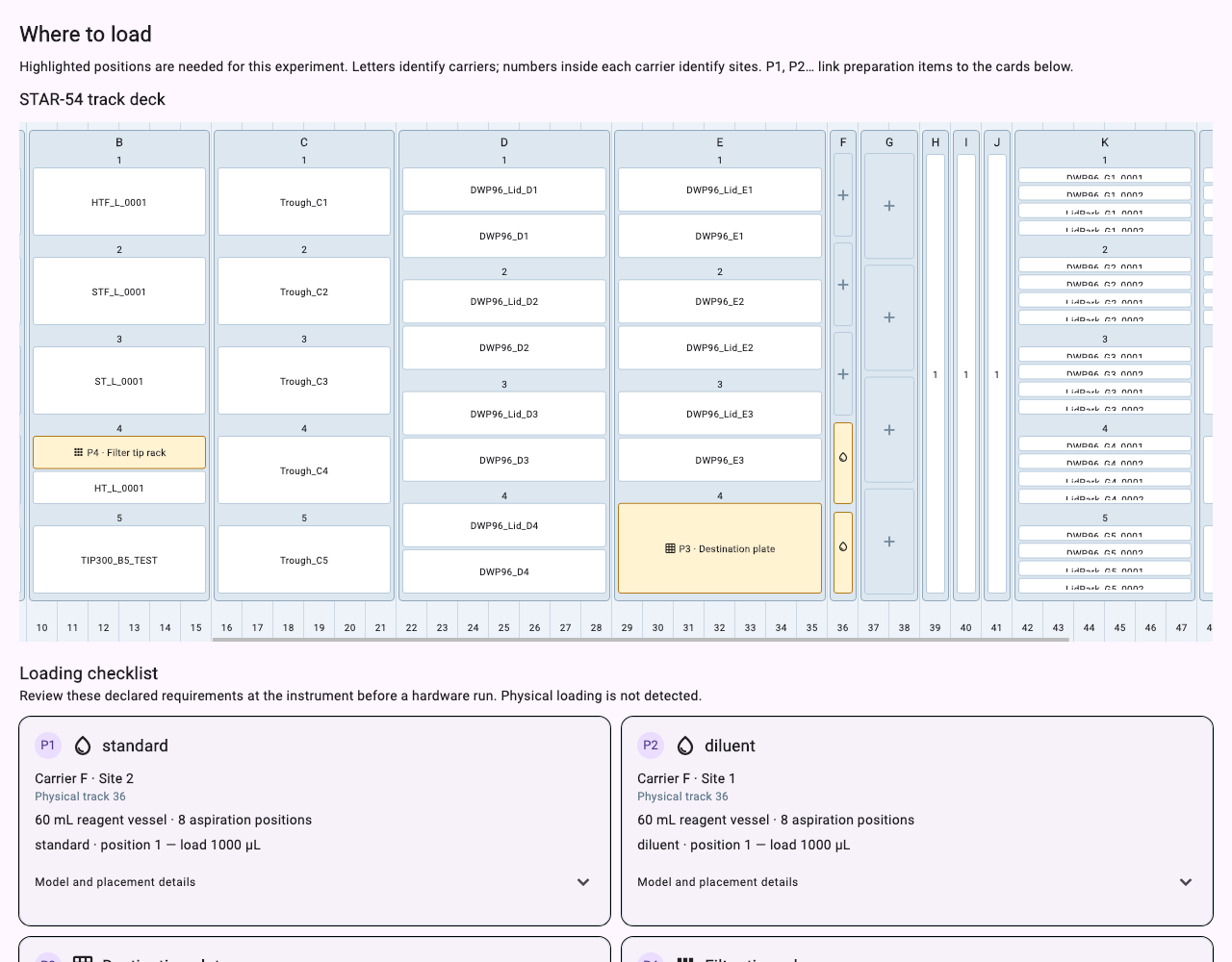
A loading plan lists positions, containers, initial materials and supplies such as tips. The layout shows declared requirements, not camera or sensor observations of the physical deck.
Before submission, use Check and Preview to inspect requirements. After submission, a run in awaiting_setup can enter the editable loading flow.
With your AI agent
Read this run's latest loading plan. List containers, initial volumes and consumables by position, and explain what I still need to do.
To change placement, specify fixed or preferred positions. The agent should read the latest plan, submit the changes against that version and inspect the returned plan. Plan changes invalidate prior confirmation.
Begin loading preparation for this run and check the resource reservation result. Do not confirm physical loading on my behalf.
In the interface
- Open the experiment waiting for preparation and find Load the experiment.
- Review its layout, loading items and consumable requirements.
- If needed, expand Placement preferences, make and save changes, and use the returned plan.
- When the plan is valid and edits are saved, choose Start loading.
Operator-only physical loading contract
The 0.2.0 desktop cannot launch a hardware experiment. The following describes the existing preparation contract for separately verified physical execution paths; it is not an available hardware tutorial for this release.
These steps continue the workflow; they are not an alternative that the AI agent can complete:
- Load the equipment according to the current plan. Check each position, container and material.
- Return to the loading page for the same run and confirm the plan has not changed since your check.
- Select I loaded every item according to this plan.
- Choose Confirm loading and run, then inspect the returned status.
MCP does not provide a tool to confirm physical loading on the operator's behalf. This interface flow also does not establish acceptance for every physical instrument. Use it only within a verified equipment configuration.
Simulation preparation
Before requesting execution, the agent should show or summarize the checked loading plan, supplies, mode and remaining blockers. Automatic simulation preparation does not remove this review step.
With Run simulation or the corresponding AI start request, a supported simulated configuration can advance preparation automatically. The record identifies simulated loading, not operator attestation or sensor evidence.
When a request outcome is unresolved, inspect the original request status first. After a plan conflict, read the latest plan before editing. Next: Start and Monitor.