Appearance
Results and History
Find a run's outcome, inspect products, material use and execution records, and recognize partial results.
Before you start
Identify the run by its identifier or an unambiguous experiment and time. Multiple executions of the same file are separate records.
With your AI agent
Find the results of the simulation we just ran. Explain its final status, products, starting materials and reagent use. Distinguish the material model, device execution evidence and actual measurements. Do not infer missing records.
For follow-up, ask for the run identifier, diagnostics and relevant execution records, and ask the agent to open the same experiment in the desktop.
In the interface
- Open the original experiment window. For earlier runs, select the matching experiment from the run records in Workstation.
- Read the outcome first, followed by available material, reagent-consumption, resource and process summaries.
- Expand Technical details for recorded status and diagnostics. Inspect available material registrations, loading and execution records below the outcome.
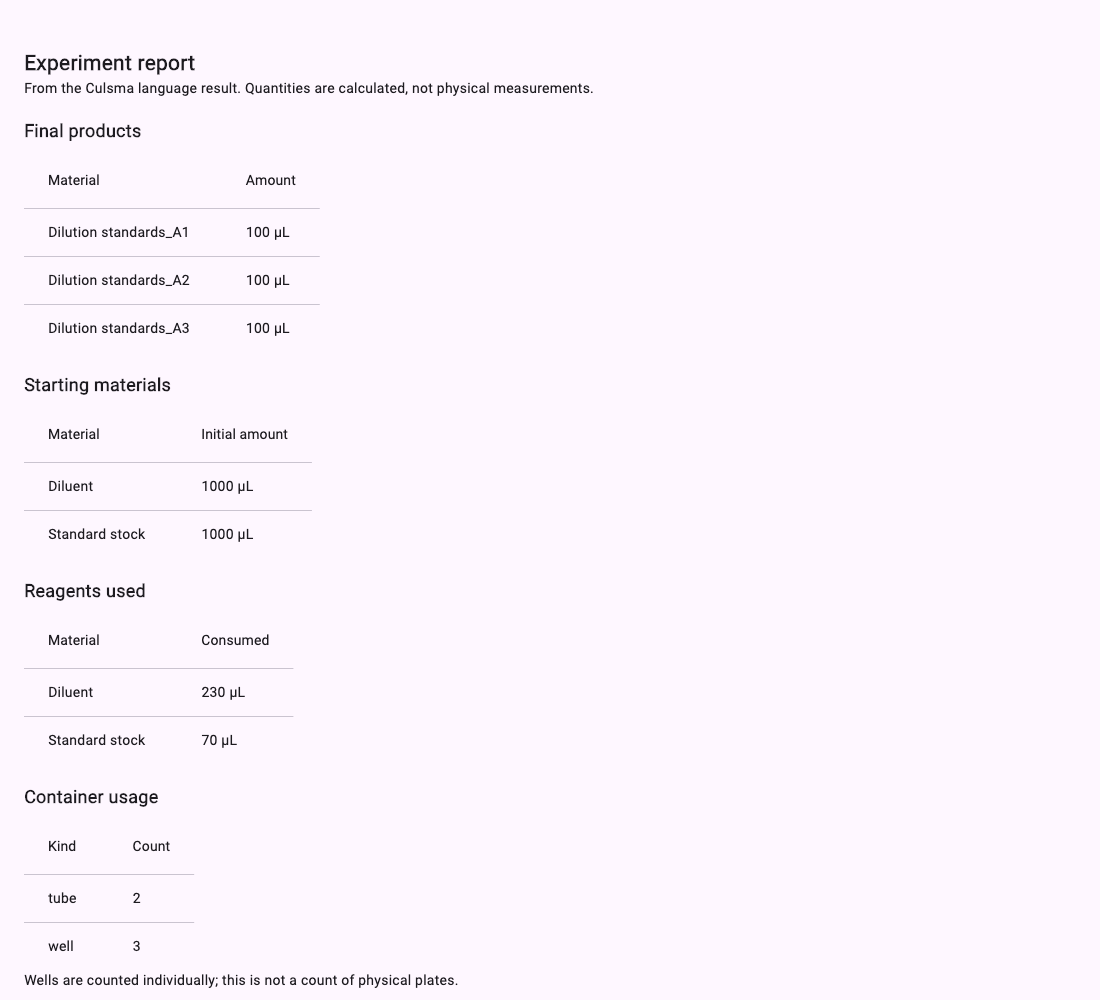
Distinguish three kinds of results
| Record | What it establishes |
|---|---|
| Protocol return and experiment report | What the program returned and how the run is summarized. A run can complete without an explicit return value. |
| Material state and consumption | Modeled container contents and registered changes. A consumption summary is not the final inventory of every container. |
| Device evidence | Recorded execution attempts and outcomes. Action completion does not establish a scientific measurement. |
An incomplete experiment has partial results. Establish the terminal status before interpreting the data. A successful body with unfinished finalization is not a completed run.
Workflow-model observations are synthetic and are labeled separately from device evidence. Read the saved simulation mode before interpreting a reported readout; see Choose a Simulation Mode.
Keep information for review
Keep the run identifier, program and configuration versions, diagnostics and relevant results. CLI artifact locations are described in the CLI Reference. This manual does not assume a universal one-click result export button in the desktop.