Appearance
Find and Open Experiments
Locate the correct experiment file, preview its contents and choose whether to edit it or review it for execution. Opening a file does not start the experiment.
Before you start
Confirm the current workspace and experiment directory. Similar file names may belong to different folders; check the full relative path.
With your AI agent
List the experiment files in this workspace, find transfer.culs, and tell me its path and main operations. Do not start it.
If the list is paginated, continue until you find the target. To make changes, ask the agent to open that file in the editor. To run it, check and preview it first.
In the interface
- Open Files and choose Experiments or the required folder.
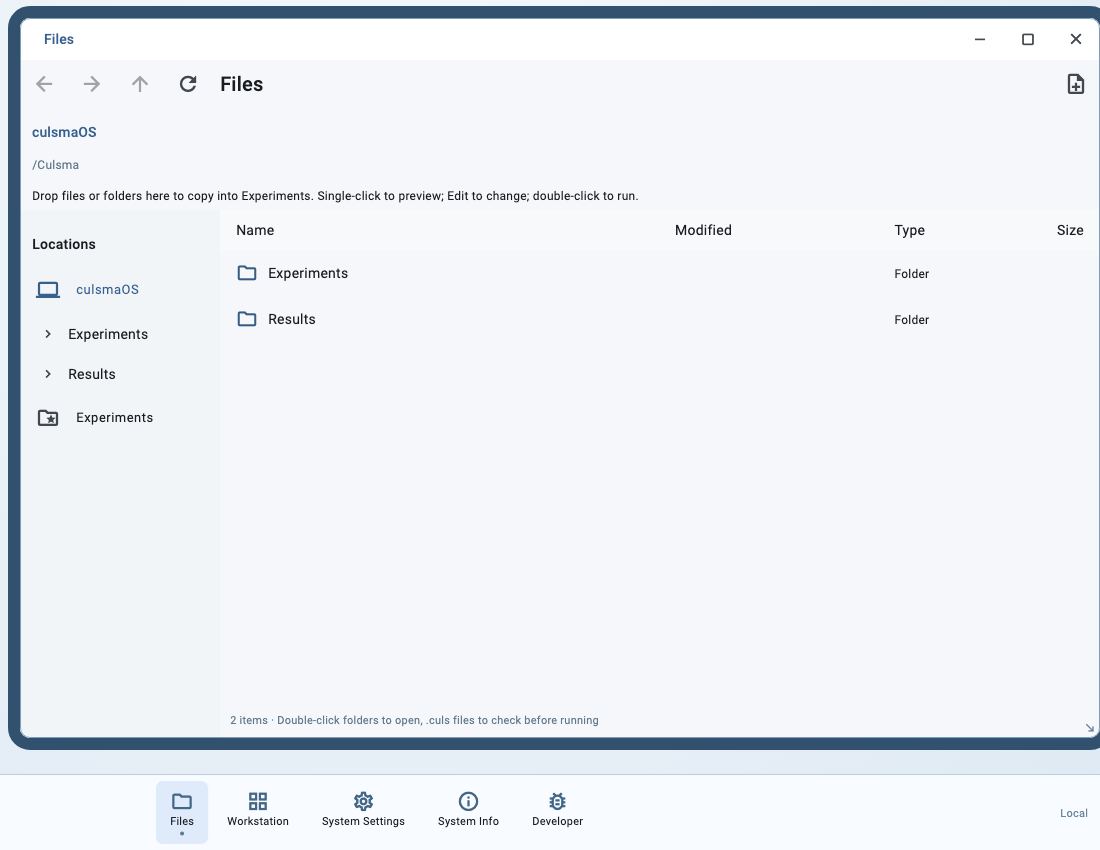
- Navigate with the folder tree, breadcrumbs, Back, Forward and Up one folder.
- Single-click a file for a preview. Select Show more files when the directory has more entries.
- Select a
.culsfile and choose Edit, or double-click it to check the program and open run review.
The context menu also provides Edit and Run. The run entry opens the checking flow first.
Confirm the file
Check its name, directory and source contents. If it is missing, check the configured experiment root. Binary files may show metadata rather than a text preview.
Next: Edit an Experiment or Check and Preview.